Use a square 1200 × 1200 pixel canvas as a practical starting point for WhatsApp Business catalog images. Center the product, leave a modest margin around it, and keep the scale and background consistent across related items. WhatsApp does not publish this as a mandatory dimension; it is a WaSize recommendation for a clean, reusable catalog workflow.
How should you prepare WhatsApp catalog images?
Start with the original product photo, place it on a 1200 × 1200 square canvas, and make the product large without touching the edges. Use the first image as an unmistakable overview, then add angles and details only when they answer a buying question.
A catalog image has two jobs. It needs to attract attention at a small card size and provide enough clarity when a customer opens the item. A clean square master handles both more predictably than a random mix of portraits, landscapes, screenshots, and camera crops.
What size and aspect ratio should WhatsApp catalog images be?
Prepare product photos at 1200 × 1200 pixels with a 1:1 aspect ratio. That gives you enough detail for a clean product view while keeping every item on the same predictable canvas. It is also large enough to reuse in many other storefront and social contexts without keeping an enormous camera file in the upload workflow.
| Image purpose | WaSize recommendation | Composition | Best default |
|---|---|---|---|
| Primary product photo | 1200 × 1200, 1:1 | Complete product, centered, clear margin | JPG for photography |
| Alternate angle | 1200 × 1200, 1:1 | Match the primary image's product scale | JPG |
| Texture or detail | 1200 × 1200, 1:1 | Tight crop with obvious context | JPG |
| Size or feature graphic | 1200 × 1200, 1:1 | Minimal labels and strong contrast | PNG |
| Service illustration | 1200 × 1200, 1:1 | One service idea, not a dense flyer | PNG or JPG |
Do not enlarge a tiny marketplace thumbnail to reach 1200 pixels. The canvas will become larger, but the underlying product detail will not return. Start with the original photo or the largest clean file you have.
Should you crop or fit a catalog product photo?
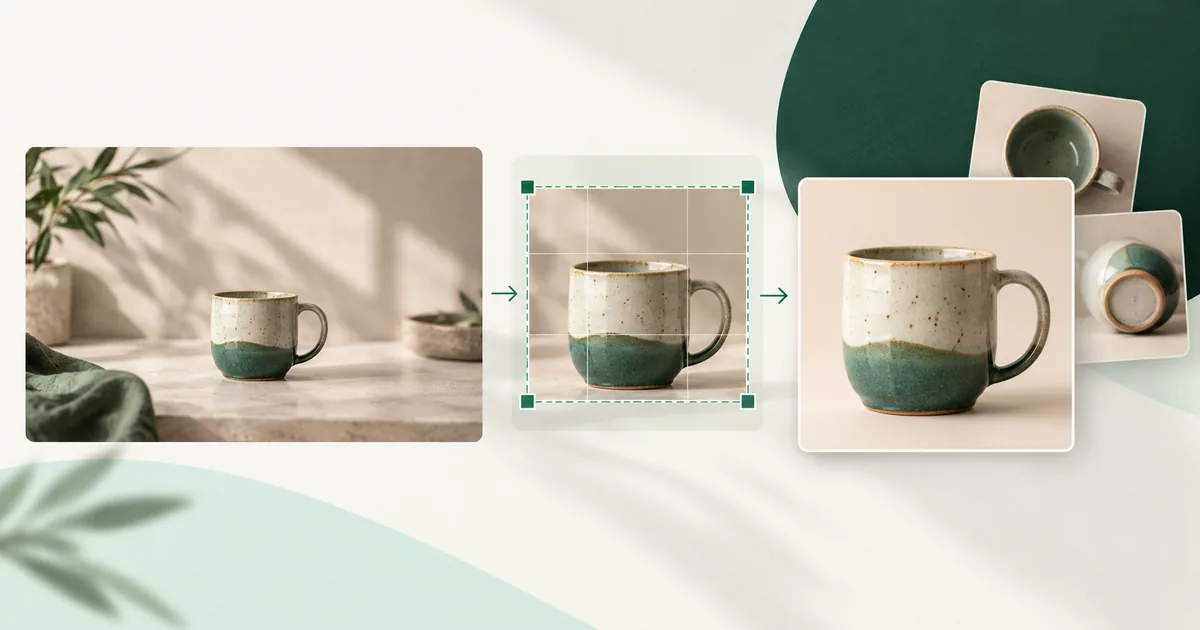
Crop excess environment when it does not help explain the item, but fit the complete product when its outline, packaging, or proportions matter. A candle on a large table can tolerate a tighter square crop. A dress, lamp, chair, or boxed product may need more room to keep its full shape visible.
Use Crop for a stronger thumbnail
Crop works well when the source includes unused wall, table, floor, or styling props. Bring the product closer without cutting handles, lids, labels, or functional parts. The goal is not to fill every pixel; it is to make the product recognizable before a customer opens the detail page.
Use Fit for complete silhouettes
Fit preserves the whole source inside the square and fills the unused space around it. Choose a background that feels intentional—usually white, warm neutral, or a restrained brand color. Avoid blurred padding for straightforward product listings unless it genuinely suits the brand; a clean solid surface makes comparison easier.
How do you make catalog photos look consistent?
Keep the canvas, product scale, background and lighting the same across related items—consistency matters almost as much as sharpness. Customers compare items quickly. When every product jumps in scale, background color, camera height, and lighting, the catalog becomes harder to scan.
- Use the same square canvas for related items.
- Keep similar products at a similar apparent scale.
- Choose one main background family—white, warm neutral, cool neutral, or a restrained brand tone.
- Place the product near the optical center, adjusting slightly for handles, shadows, or asymmetrical shapes.
- Use comparable lighting and color temperature so white products do not look blue in one image and yellow in the next.
- Avoid decorative props that could be mistaken for included products.
For services, do not turn the first image into a crowded poster. Use one simple scene, result, or icon-led graphic that identifies the service. Put detailed terms, schedules, and explanations in the item description or on your linked page, where they remain readable.
How many images should a catalog item have?
WhatsApp currently allows up to ten images for a catalog product or service, but you do not need to fill every slot. Use only the images that reduce uncertainty. Four purposeful images are more useful than ten near-duplicates.
- Overview: the complete product on a clean background.
- Second angle: the back, side, interior, or another view that reveals shape.
- Detail: material, texture, closure, controls, stitching, or finish.
- Scale: the item beside a familiar object or used naturally, without misleading perspective.
- Variation: available color, pattern, size, or packaging when it cannot be expressed clearly in the item options.
- Context: the product in use, provided the item remains easy to identify.
Keep the primary image visually simpler than the rest. It has to work before a customer knows the product. Lifestyle and detail views can provide context after the first image has established exactly what is being sold.
How do you prepare a catalog photo with WaSize?
- Choose the original photo. Use the sharpest file available, not a screenshot, chat download, or previously compressed listing image.
- Set a custom square size. Open WaSize and enter 1200 for both width and height. Treat this as a practical master size, not a platform requirement.
- Choose Crop or Fit. Crop away unhelpful scene space, or fit the complete product when its full outline and proportions matter.
- Position the product. Keep it large, centered by eye, and separated from the edges by a modest margin.
- Match the series. Compare the image with neighboring catalog items and adjust scale or background so the set feels consistent.
- Export and inspect. Use JPG for ordinary product photography or PNG for crisp graphics, then view the result small before uploading it.
Should catalog images be JPG or PNG?
JPG is the sensible default for product photography; PNG is better for flat graphics, logos, and sharp diagram-like artwork. The format should follow the content rather than a habit.
A high-quality JPG keeps photographic gradients, shadows, and textures efficient. PNG is lossless but can become unnecessarily large for a camera photo. It earns its weight when clean edges, small graphical labels, or flat colors would show visible JPG artifacts.
WebP can be efficient, but compatibility and upload behavior can vary across business workflows. If you want the least surprising manual upload, a well-exported JPG or PNG is the conservative choice. Keep your original separately so you can produce another format later without recompressing an already compressed file.
For a detailed comparison, see JPG vs PNG vs WebP for WhatsApp images. If the finished file is needlessly heavy, use the companion guide to compressing an image without obvious blur.
What catalog image mistakes should you avoid?
The product is too small
Remove empty scene space or scale the product up within the square. Preserve a margin, but do not let a tiny product float in a room-sized composition.
The product touches the edge
Zoom out slightly or switch from Crop to Fit. Edge contact makes the image feel accidental and can hide important parts in compact presentations.
Every item uses a different scale
Choose one representative item as your visual reference. Match related products to its background, camera angle, and approximate footprint rather than centering each photo independently.
Text is unreadable in the card
Move essential information into the item name and description. If a measurement or feature must appear in an image, give it a dedicated secondary graphic with very little text and strong contrast.
The image is sharp on your computer but soft in the catalog
Check whether you uploaded the prepared export or a messaging-app copy. Start from the original, resize once, and avoid repeated downloads and saves. WaSize cannot recreate detail that was already lost in a small source.
FAQ: WhatsApp catalog product images
What size should a WhatsApp catalog image be?
WhatsApp does not publish one mandatory catalog-image pixel size in its current Help Center guidance. WaSize recommends preparing a 1200 × 1200 pixel square as a practical, high-quality working canvas, then checking the result in the catalog.
Should WhatsApp catalog photos be square?
A square is the safest working shape for consistent product cards and small previews. It reduces unpredictable cropping and makes a mixed catalog feel orderly, but it is a WaSize composition recommendation rather than an official platform requirement.
How many images can I add to one catalog item?
WhatsApp's current Help Center says you can upload up to ten images for one product or service item. Use the first image as the clearest overview and reserve later images for angles, details, scale, packaging, or variations.
Is JPG or PNG better for catalog images?
JPG is usually the better default for product photography because it keeps files efficient. PNG is useful for logos, flat graphics, diagrams, or images with sharp text-like edges. Exporting a normal camera photo as PNG usually adds weight without restoring detail.
Why is my catalog image blurry?
The source may be too small, already compressed, or enlarged from a screenshot. Start from the original photo, prepare one deliberate square export, avoid repeated saving, and inspect the subject at thumbnail size before uploading.
Make comparison easy
The best catalog image does not need elaborate styling. It needs a recognizable product, a predictable square, and enough consistency that customers can compare one item with the next without visual friction.
Build one clean 1200 × 1200 master, reuse the same composition rules across the catalog, and let secondary images answer the questions the primary view cannot.
Sources and how we checked
- WhatsApp Help Center: create and maintain a catalog
- WhatsApp Help Center: about catalogs
- WhatsApp Help Center: share products and services with customers
How to add and manage catalog images, the limit of ten images per product or service item, and the policy review before items become visible to customers all come from the WhatsApp Help Center pages listed above. The 1200 × 1200 square canvas, the 6–10% margin around the product and the JPG and PNG defaults are WaSize working recommendations, not official WhatsApp requirements. Last checked October 26, 2026.